When I started this blog, I was looking for the initial inspiration, the thing to give me the kick to start writing content. One of my customers asked me a question
“Ali, when adding entities in an analytic one of the entity type available is “Sentinel Entities” From the documentation I can’t really tell what this is for? Can you shed any light?”
And like always with this customer, they have spotted something that has sneaked past me and I’ve had to jump into discovery mode. This is what they had seen.

This image shows the entity type selection in the analytic rule, with Sentinel Entities sat at the top on it’s lonesome, separated by a dividing line. My initial thought was someone has messed up the code here and it’s just the name of the array which the drop down is created from. Our documentation states the following:
| Field | Type | Description |
| Entities | String | A list of the entities identified in the alert. This list is the entities column from the SecurityAlert schema (see documentation). |
My brain paused for a bit, trying to comprehend what was being described here. After a few minutes and a trip to the kitchen for a cup of coffee as I realised I hadn’t had one yet, it clicked. The entity mapping isn’t for a single value from a query, but the entire array of entities found within an alert.
Testing Phase
To test this, I created 2 rules, one that would generate fake entities and one that would map the entities from the first.
Rule 1 Configuration
- Name: thealistairross – Test Entities Rule 1
- Rule Query:
print FullName = "thealistairross@contoso.com",
IPAddress = "10.0.0.4"
- Entity Mapping:
- Entity Type: Account
- Entity Identifier: FullName
- Column Selection: FullName
- Entity Type: IP
- Entity Identifier: Address
- Column Selection IPAddress
- Entity Type: Account

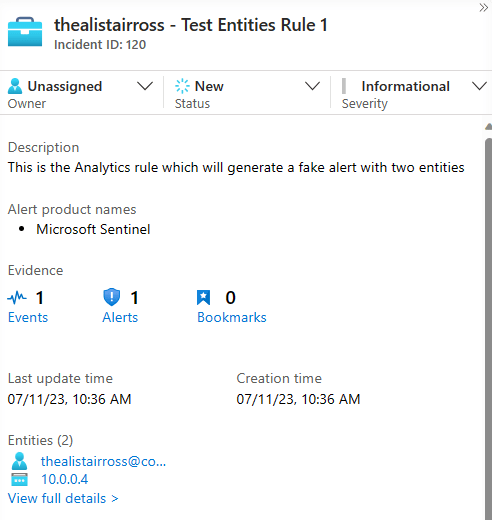
I left all the rest of the settings as default so that it will generate an incident. Because the query results are generated using the print function, it will run as soon as it is saved and produce an incident with simulated results, as seen below.
Rule 2 Configuration
- Name: thealistairross – Test Entities Rule 2
- Rule Query:
SecurityAlert
| where AlertName == "thealistairross - Test Entities Rule 1"
| summarize arg_max(TimeGenerated, *) by SystemAlertId
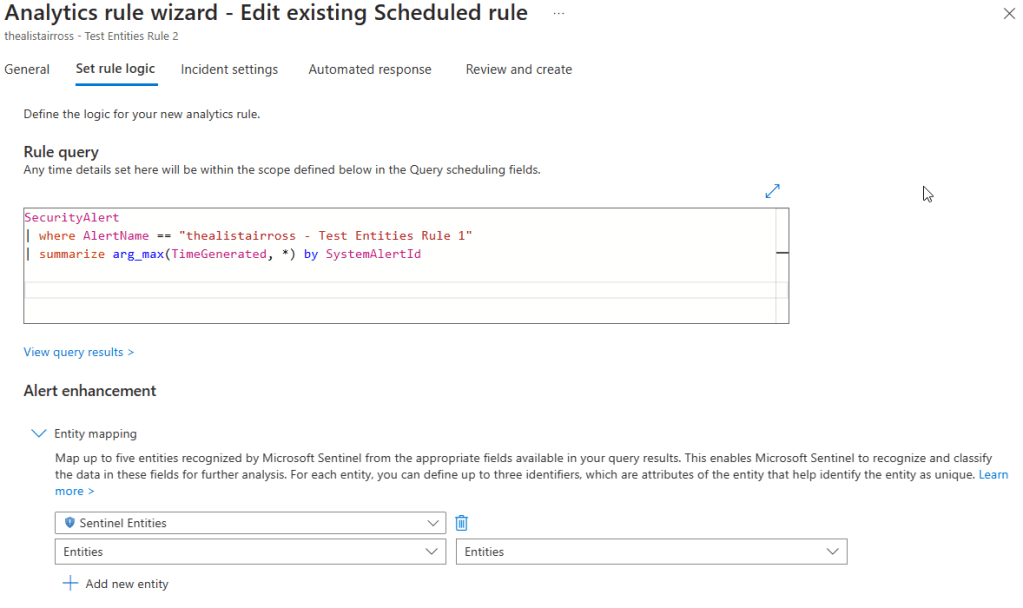
- Entity Mapping:
- Entity Type: Sentinel Entities
- Entity Identifier: Entities
- Column Selection: Entities
- Entity Type: Sentinel Entities
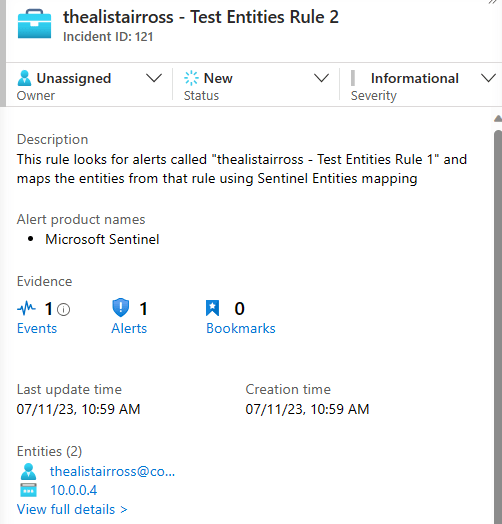
Here I have just a simple query that finds the most recent alerts named, “thealistairross – Test Entities Rule1” from the SecurityAlert table and maps the entities column to the Sentinel Entities type. As you can see from the results below, it works!
But why do I need to know this?
Why don’t you just map the entities in the same way as the first rule, I hear you ask. Well if you remember back to the last post, there are limitations on the number of mappings that can be done in a single analytic rule. (Five entity mappings, three identifiers per mapping). If you are using services like Microsoft 365 Defender, these alerts and entities are produced directly from that service. It is near impossible to work out all the possible entity mappings for each alert in this scenario. Also the connector only send the alerts and logs to a Microsoft Sentinel workspace within the same tenant, making it difficult to aggregate the alerts into a single workspace in a consistent way.
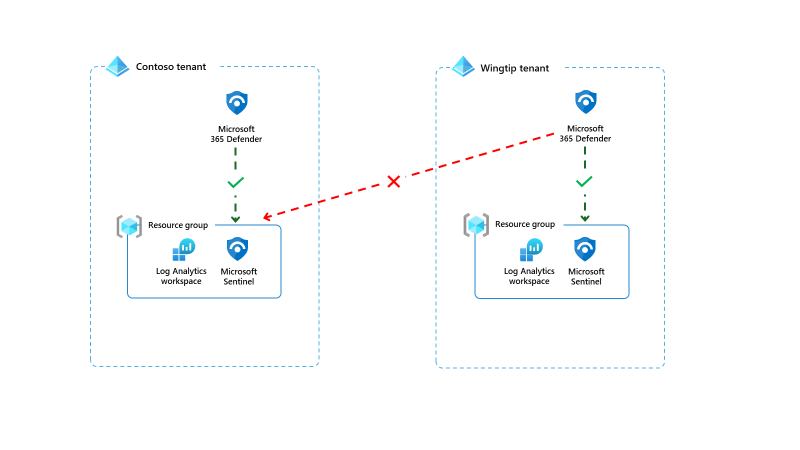
For some complex environments, this isn’t how customers want to operate. It isn’t unheard of to want to aggregate all alerts into a single workspace. Using cross-workspace queries, you can read the security alerts in one workspace, and generate alerts in another. With this you can map the alert name, alert description, tactics and techniques and more, but which entities do you map? Sentinel Entities mapping will allow you to map them all without having to map each one individually, allowing for greater flexibility in creating your rules.
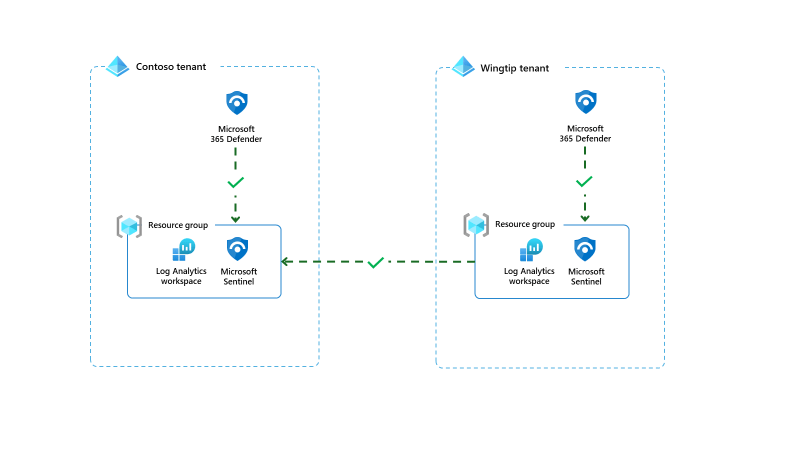
The Sentinel Entities mapping gives your organisation greater flexibility to operating in a multi workspace model, in a way that works for you. If you want to try it out for yourself, you can download the test rules I created earlier, they can be found here.
Sentinel Entities/Mapping · TheAlistairRoss/The-Cloud-Brain-Dump · GitHub
In the next post, I will discuss handling entities with Microsoft Sentinel Playbooks (Azure Logic Apps)
 The Cloud Brain Dump - By TheAlistairRoss